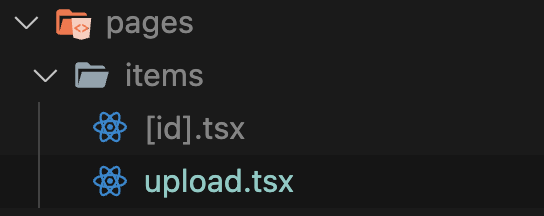
업로드.tsx
export default function Upload() {
  return (
    <div className="px-4 py-16">
      <div>
        <label className="flex h-48 w-full cursor-pointer items-center justify-center rounded-md border-2 border-dashed border-gray-300 text-gray-600 hover:border-orange-500 hover:text-orange-500">
          <svg
            className="h-12 w-12"
            stroke="currentColor"
            fill="none"
            viewBox="0 0 48 48"
            aria-hidden="true"
          >
            <path
              d="M28 8H12a4 4 0 00-4 4v20m32-12v8m0 0v8a4 4 0 01-4 4H12a4 4 0 01-4-4v-4m32-4l-3.172-3.172a4 4 0 00-5.656 0L28 28M8 32l9.172-9.172a4 4 0 015.656 0L28 28m0 0l4 4m4-24h8m-4-4v8m-12 4h.02"
              strokeWidth={2}
              strokeLinecap="round"
              strokeLinejoin="round"
            />
          </svg>

          <input className="hidden" type="file" />
        </label>
      </div>
      <div className="my-5">
        <label
          htmlFor="price"
          className="mb-1 block text-sm font-medium text-gray-700"
        >
          Price
        </label>
        <div className="relative flex items-center rounded-md shadow-sm">
          <div className="pointer-events-none absolute left-0 flex items-center justify-center pl-3">
            <span className="text-sm text-gray-500">$</span>
          </div>
          <input
            id="price"
            type="text"
            placeholder="0.00"
            className="w-full appearance-none rounded-md border border-gray-300 px-3 py-2 pl-7 placeholder-gray-400 shadow-sm focus:border-orange-500 focus:outline-none focus:ring-orange-500"
          />
          <div className="pointer-events-none absolute right-0 flex items-center pr-3">
            <span className="text-gray-500">USD</span>
          </div>
        </div>
      </div>
      <div>
        <label className="mb-1 block text-sm font-medium text-gray-700">
          Description
        </label>
        <textarea
          className="mt-1 w-full rounded-md border-gray-300 shadow-sm focus:border-orange-500  focus:ring-orange-500"
          rows={4}
        />
      </div>
      <button className="mt-4 w-full rounded-md border border-transparent bg-orange-500 px-4 py-2 text-sm font-medium text-white shadow-sm hover:bg-orange-600 focus:outline-none focus:ring-2 focus:ring-orange-500 focus:ring-offset-2">
        Upload product
      </button>
    </div>
  );
}
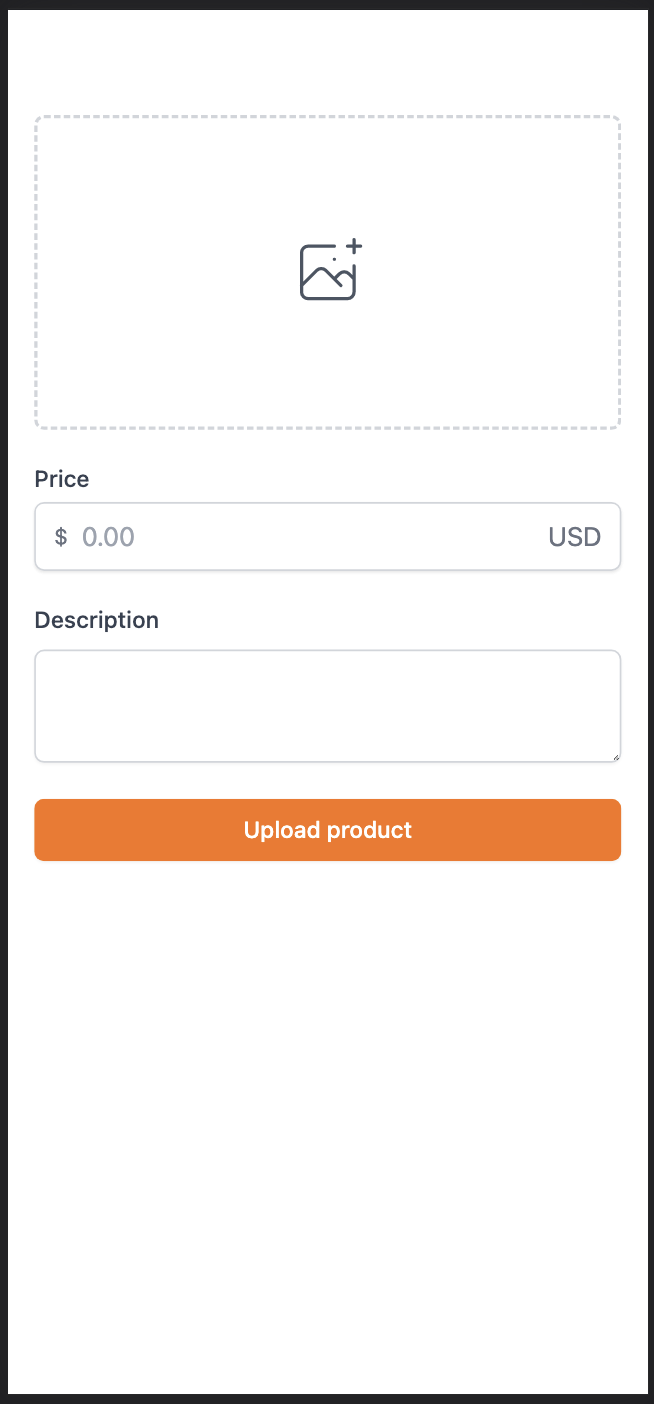
Tailwind CSS를 기준으로 label 태그에 입력 태그를 넣고 숨기면 내 코드 기준에 따라 아이콘이나 div 상자 영역을 클릭하면 파일 선택기 창이 나타납니다. (HTML 기술!)